10 Proven Steps: How to Fix AdSense Rejection & Get Approved Fast!
1. Understanding AdSense Rejection: Common Reasons
Before diving into how to fix AdSense rejection step by step, it’s crucial to understand why your application might have been denied in the first place. Google typically provides a reason for rejection, which can range from “insufficient content” to “site navigation issues” or “policy violations.” Identifying the specific reason is the first critical step towards a successful reapplication.
Common rejection reasons include:
•Insufficient Content: Your site lacks enough unique, valuable, and high-quality text content. This is one of the most frequent reasons for denial.
•Poor Content Quality: Content is thin, plagiarized, auto-generated, or provides little value to users.
•Navigation Issues: Users struggle to find information on your site due to broken links, confusing menus, or poor site structure.
•Policy Violations: Your site contains prohibited content (e.g., adult material, copyrighted content, hate speech) or engages in practices that violate AdSense policies.
•Technical Issues: Problems like slow loading times, mobile unfriendliness, or errors in the AdSense code implementation.
•Unacceptable Site Content: Your site might be promoting illegal activities, selling counterfeit goods, or engaging in other disallowed practices.
Understanding these common pitfalls is the foundation for learning how to fix AdSense rejection step by step effectively.
2. Step 1: Review Google AdSense Program Policies Thoroughly
The very first step in learning how to fix AdSense rejection step by step is to meticulously review the Google AdSense Program Policies [1]. These policies are the bedrock of AdSense approval and ongoing compliance. Many rejections stem from a misunderstanding or oversight of these guidelines. Pay close attention to sections on content quality, prohibited content, traffic sources, and ad placement.
•Content Requirements: Ensure your content is original, family-safe, and doesn’t promote illegal activities.
•Behavioral Guidelines: Avoid encouraging accidental clicks or manipulating ad placements.
•Traffic Sources: Understand that Google values organic, high-quality traffic. Avoid artificial traffic generation.
By thoroughly understanding these policies, you can proactively identify and rectify any issues on your site.
3. Step 2: Ensure High-Quality, Original Content
One of the most significant factors in AdSense approval is the quality and originality of your content. Google prioritizes websites that offer substantial value to users. To effectively learn how to fix AdSense rejection step by step related to content, focus on these areas:
•Originality: All content must be unique and written by you. Avoid copying from other websites, even with attribution. Google’s algorithms are sophisticated in detecting duplicate content.
•Depth and Value: Provide comprehensive, informative, and engaging content that genuinely helps your audience. Thin content, which offers little information, is a common rejection reason. Aim for articles that are at least 600 words, but ideally much longer if the topic demands it [2].
•Regular Updates: A regularly updated website signals to Google that your site is active and maintained. This can positively impact your approval chances.
•Grammar and Spelling: Proofread all your content carefully. Errors can detract from professionalism and user experience.
Remember, your content is king. Invest time in creating valuable resources for your visitors.
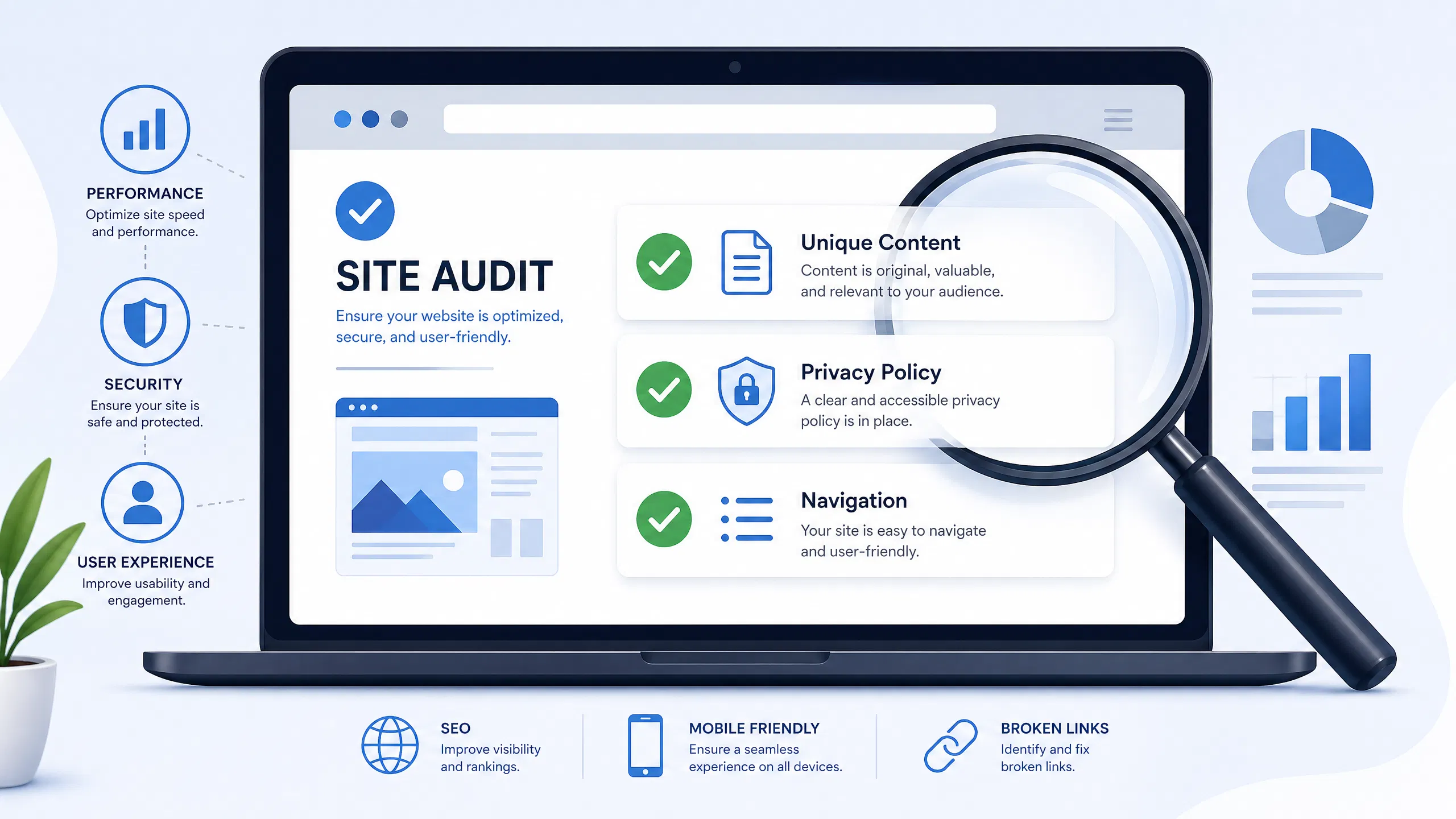
4. Step 3: Optimize Your Website’s Navigation and User Experience
Google places a high emphasis on user experience (UX). A website that is difficult to navigate or provides a poor user experience is unlikely to be approved for AdSense. This step is crucial in understanding how to fix AdSense rejection step by step related to site structure.
•Clear Navigation: Your website should have a clear, intuitive navigation menu. Users should be able to easily find what they are looking for. Use logical categories and subcategories.
•Working Links: Check for and fix any broken links on your website. Broken links frustrate users and signal a poorly maintained site. Tools like Broken Link Checker can help [3].
•Mobile Responsiveness: Ensure your website is fully responsive and displays correctly on all devices, especially mobile phones. Google operates on a mobile-first indexing principle.
•Fast Loading Speed: Optimize your website’s loading speed. Slow sites lead to high bounce rates and a poor user experience. Use tools like Google PageSpeed Insights to identify and fix performance issues [4].
By improving your site’s navigation and overall UX, you’re not only pleasing Google but also your visitors.
5. Step 4: Create Essential Pages (About Us, Contact Us, Privacy Policy)
For AdSense approval, certain essential pages are non-negotiable. These pages build trust and demonstrate transparency, which are key aspects of how to fix AdSense rejection step by step.
•About Us Page: This page should clearly describe who you are, what your website is about, and your mission. It helps Google understand the purpose and legitimacy of your site.
•Contact Us Page: Provide clear ways for users to contact you, such as an email address or a contact form. This shows accountability and accessibility.
•Privacy Policy Page: This is legally required, especially if you collect any user data (which AdSense does). Your privacy policy must clearly state how you collect, use, and protect user information, including the use of third-party cookies by AdSense. You can find templates online or use a privacy policy generator.
•Terms and Conditions (Optional but Recommended): While not always strictly required, a Terms and Conditions page can further enhance your site’s professionalism and legal standing.
These pages are vital for establishing credibility with both your users and Google.
6. Step 5: Check for Technical Issues and Site Health
Technical issues can often be silent killers of AdSense applications. A healthy website is a prerequisite for approval. This step focuses on the technical aspects of how to fix AdSense rejection step by step.
•Crawlability and Indexability: Ensure Google can easily crawl and index all relevant pages of your website. Check your robots.txt file and sitemap.xml in Google Search Console.
•Security (HTTPS): Your website should use HTTPS. This is a standard security measure and a ranking factor for Google. If your site is still on HTTP, migrate to HTTPS immediately.
•Broken Images and Files: Just like broken links, broken images or missing files can negatively impact user experience and signal a neglected site. Conduct a thorough audit.
Addressing these technical aspects ensures your site is robust and ready for AdSense.
7. Step 6: Remove Other Ad Networks During Reapplication
If you were previously using other ad networks (e.g., Media.net, Ezoic) on your website, it’s highly recommended to remove them before reapplying for AdSense. While Google’s policies generally allow other ad networks, having multiple ad codes can sometimes lead to conflicts or be perceived as an attempt to clutter your site with ads, especially during the initial review phase. This is a practical tip for how to fix AdSense rejection step by step.
•Clean Slate: Present your website to AdSense with a clean slate, focusing solely on meeting their requirements without potential distractions from other ad implementations.
•Ad Placement: Ensure that if you do have other ad networks, their ads are not interfering with potential AdSense ad placements or violating any AdSense policies regarding ad density.
Once approved, you can carefully reintroduce other ad networks, ensuring they comply with AdSense policies.
8. Step 7: Verify Your Site Ownership and AdSense Code Placement
Correctly verifying your site ownership and placing the AdSense code are fundamental technical steps in how to fix AdSense rejection step by step.
•Site Ownership Verification: Ensure your website is properly verified in your Google Search Console account. This confirms to Google that you own the site.
•AdSense Code Placement: The AdSense code must be placed correctly within the <head> section of every page you want to show ads on. A common mistake is incorrect placement or incomplete code. Double-check the implementation, especially if you are using a Content Management System (CMS) like WordPress. Many themes or plugins offer specific areas for AdSense code.
Incorrect code placement is a simple yet frequent reason for rejection.
9. Step 8: Address Traffic Quality and Source
While not always explicitly stated as a rejection reason, the quality and source of your website’s traffic can play a role in AdSense approval. Google wants to ensure that advertisers’ ads are shown to genuine, interested users. This is an often-overlooked aspect of how to fix AdSense rejection step by step.
•Organic Traffic: Focus on generating organic traffic through search engine optimization (SEO). This indicates genuine user interest.
•Avoid Invalid Traffic: Never buy traffic, use click farms, or engage in any practices that generate artificial or bot traffic. This is a severe policy violation and will lead to permanent bans.
•Diverse Sources: While organic traffic is best, traffic from social media or legitimate referrals is also acceptable, provided it’s genuine.
Building a real audience is key to long-term AdSense success.
10. Step 9: Reapply for AdSense with Confidence
Once you have meticulously addressed all potential issues and implemented the necessary changes, it’s time to reapply. This is the culmination of your efforts in learning how to fix AdSense rejection step by step.
•Thorough Review: Before clicking “reapply,” conduct one final, comprehensive review of your entire website. Imagine you are a Google reviewer. Is everything perfect?
•Patience: After reapplying, you will need to wait for Google to review your site again. This process can take anywhere from a few days to several weeks. Avoid making significant changes to your site during this waiting period.
Stay positive and confident in the improvements you’ve made.
11. Step 10: Maintain Compliance for Long-Term Approval
Getting approved is a significant achievement, but maintaining compliance is equally important for long-term success with AdSense. This final step in how to fix AdSense rejection step by step is about ongoing vigilance.
•Regular Policy Checks: Periodically revisit the AdSense program policies, as they can be updated. Stay informed about any changes.
•Content Monitoring: Continuously ensure all new content adheres to AdSense guidelines. Implement a content review process.
•Site Health Monitoring: Regularly check your site for broken links, technical errors, and performance issues. Google Search Console is an invaluable tool for this.
•Ad Placement Review: Ensure your ad placements remain compliant and do not interfere with user experience or encourage accidental clicks.
Ongoing maintenance and adherence to policies will safeguard your AdSense account.
Frequently Asked Questions about AdSense Rejection
Q1: How long does it take to get AdSense approval after fixing issues?
A1: The re-review process can vary. It typically takes a few days to a few weeks. Google reviews sites manually, so patience is key. Ensure all issues are resolved before reapplying to avoid further delays.
Q2: Can I use AdSense on a brand new website?
A2: While there’s no strict age requirement, Google generally prefers websites with established content and some traffic. It’s often recommended to have at least 20-30 high-quality articles and a few months of activity before applying.
Q3: What is “insufficient content” according to AdSense?
A3: “Insufficient content” means your website lacks enough unique, valuable, and original text. This includes thin pages, pages with mostly images/videos and little text, or content that doesn’t provide substantial value to the user. Focus on creating in-depth, informative articles.
Q4: Should I remove all ads before reapplying for AdSense?
A4: It’s highly recommended to remove other ad networks during the reapplication phase to present a clean site to Google. Once approved, you can carefully reintroduce other ad networks, ensuring they comply with AdSense policies.
Q5: How important is a Privacy Policy for AdSense approval?
A5: A Privacy Policy page is absolutely essential. It’s a legal requirement and a critical component for AdSense approval, as it informs users about data collection and the use of cookies. Without it, your application will likely be rejected.
Conclusion
Receiving an AdSense rejection can be disheartening, but it’s not the end of your monetization journey. By diligently following these 10 proven steps: how to fix AdSense rejection step by step, you can systematically identify and resolve the issues that led to your denial. Focus on creating a high-quality, user-friendly website with original content, clear navigation, and essential legal pages. With patience and persistence, you can overcome AdSense rejection and successfully integrate this powerful advertising platform into your website. Remember, a commitment to quality and adherence to Google’s policies are the keys to long-term success.
References
3.Broken Link Checker (Example external resource for checking broken links)